What is Navara?
What is Navara?
Section titled “What is Navara?”Web map engines have long forced a choice: engines with polished declarative APIs are easy to adopt but hard to extend beyond their built-in features, while engines that expose deep low-level control are powerful but demand steep expertise — and fully 3D globe applications usually leave no option but the latter. Navara is a highly extensible, general-purpose 3D globe map engine built to remove that trade-off. It streams real-world geospatial data — satellite imagery, terrain, 3D city models, and vector data — onto an interactive globe, and lets you present it the way your application needs: as a clean basemap for data visualization, styled per feature by attributes, or as a photorealistic scene with atmosphere, sunlight, and shadows.
You use Navara through a library that wraps a rendering engine such as Three.js (e.g. @navaramap/three). All geospatial computation runs in a Rust/WASM GIS engine spread across Web Workers, so the map stays responsive even with large datasets. If you are curious how the pieces fit together, see How Navara Works.
A Globe in a Few Lines of Code
Section titled “A Globe in a Few Lines of Code”This is all it takes to display satellite imagery on the globe — here with the optional photorealistic sky, sun, and atmosphere enabled:
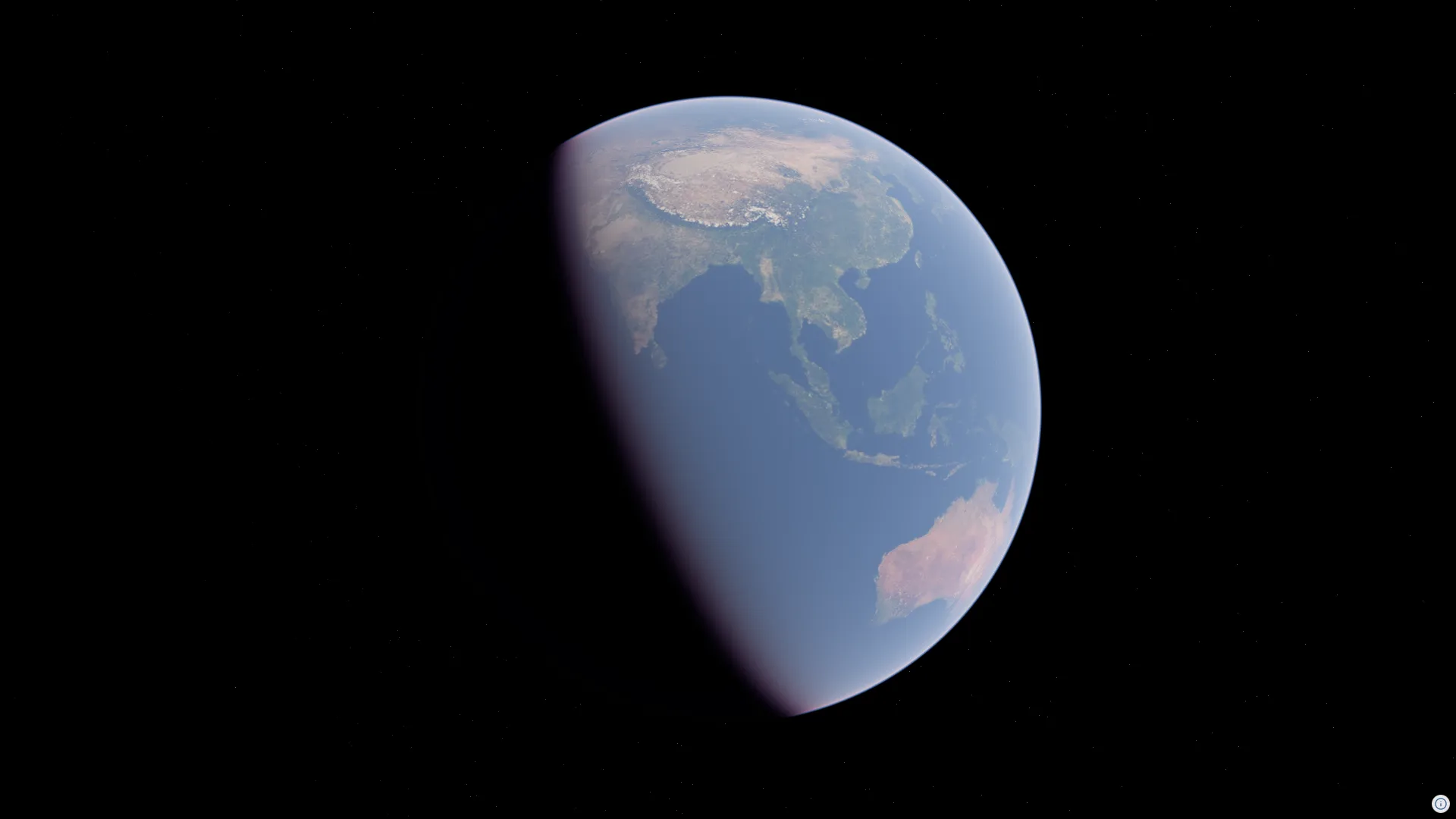
import ThreeView from "@navaramap/three";import { DefaultPlugin } from "@navaramap/three-default-plugin";
const view = new ThreeView({ useNormal: true });
const defaultPlugin = new DefaultPlugin();view.addPlugin(defaultPlugin);
// Initialization
await view.init();
// Setup scenedefaultPlugin.addDefaultPhotorealScene();view.atmosphere.date = new Date("2026-07-16T01:00:00Z");view.toneMappingExposure = 10;
// Layer declaration
const raster = view.addSource({  type: "raster-tile",  url: "https://gibs.earthdata.nasa.gov/wmts/epsg3857/best/BlueMarble_NextGeneration/default/GoogleMapsCompatible_Level8/{z}/{y}/{x}.jpeg",  maxZoom: 8,});
view.addLayer({  type: "raster",  source: raster,  raster: {},});
// Attribution
view.attribution?.add([{ attributionHtml: `Imagery courtesy of <a href="https://earthdata.nasa.gov/gibs">NASA EOSDIS GIBS</a> · Blue Marble: Next Generation (public domain)` }]);
Want to try it yourself? Getting Started walks you through setting up a project, and the Examples gallery shows what Navara can do live in your browser.
What You Can Build
Section titled “What You Can Build”Navara organizes its capabilities into four tiers. Start with the declarative API, and reach for a lower tier only when you need it.
Declarative API
Section titled “Declarative API”Add sources and layers with plain config objects — basemaps, terrain, vector data, and Cesium 3D Tiles. Each source handles fetching, caching, and level-of-detail automatically, and one source can feed multiple layers so you can restyle without refetching. Mesh, effect, and light Descriptors work the same declarative way: atmospheric scattering, volumetric clouds, and post-processing effects are all added as config objects through addMesh / addEffect / addLight.
Plugins
Section titled “Plugins”Ready-made plugins bundle purpose-built features: the photorealistic scene (addDefaultPhotorealScene()), first-person walking (PersonViewPlugin), DOM overlays pinned to geographic coordinates (OverlayPlugin), and the attribution UI. You can also write your own plugin to package reusable functionality.
Low-level API
Section titled “Low-level API”When config objects and ready-made plugins are not enough, drop down one tier: style individual features by their attributes with FeatureEvaluator — color-code buildings by height, or filter features by attribute values — pick features and query terrain interactively through the pick event and terrain sampling, and compute coordinate transforms and geodesic distances with the geodetic/ECEF math utilities. The GIS math is also available as a standalone package (@navaramap/three-api) that works without the map engine.
Custom Descriptors
Section titled “Custom Descriptors”When the built-ins are not enough, write your own mesh, effect, and light Descriptors with full access to the rendering engine’s scene graph and the render pipeline — including the depth buffer and the normal/G-buffer (MRT). This is the same foundation that powers Navara’s built-in Descriptors, not a limited escape hatch.
How Navara Compares to Other Map Engines
Section titled “How Navara Compares to Other Map Engines”Each web map engine has its own design philosophy and strengths. Understanding these helps clarify where Navara fits and what trade-offs it makes.
CesiumJS is the most mature 3D geospatial engine and the creator of the 3D Tiles specification, with an extensive track record in large-scale 3D data visualization. It provides a wide range of low-level APIs that allow developers to implement diverse functionality with considerable freedom. The trade-off is a steeper learning curve — the breadth of its API surface means developers need deeper knowledge to build custom features effectively.
MapLibre GL JS offers a polished, high-level API that makes it easy to customize map styles declaratively. Its active open-source community and mature ecosystem make it an excellent choice for 2D vector tile applications. However, when it comes to extending functionality beyond what the built-in API provides, customization options are more limited.
deck.gl extends MapLibre GL JS (or MapboxGL) with a rich set of visualization layers and a clear composable layer model. The combination is powerful, but it requires learning both libraries and their integration patterns.
Navara aims to combine the strengths of these approaches under a single, tiered API. For general users, Navara provides a high-level, declarative API for adding layers and styling features through FeatureEvaluator. Plugins can further simplify workflows — for example, loading layer definitions from JSON, or using the MapLibre Style Plugin (in development) to define feature styles in a familiar JSON format. For advanced users who need to build custom functionality, Navara exposes a lower-level API through the plugin system, custom mesh Descriptors, and custom effect Descriptors — the same foundation that powers Navara’s own built-in Descriptors. Additionally, Navara offers standalone GIS APIs for coordinate transforms and geodesic calculations that can be used independently of the map engine itself.
Next Steps
Section titled “Next Steps”Head to Getting Started to build your first globe, or read How Navara Works to understand Navara’s architecture and package structure.